Data Cabling for Modern Homes and Offices: What to Know
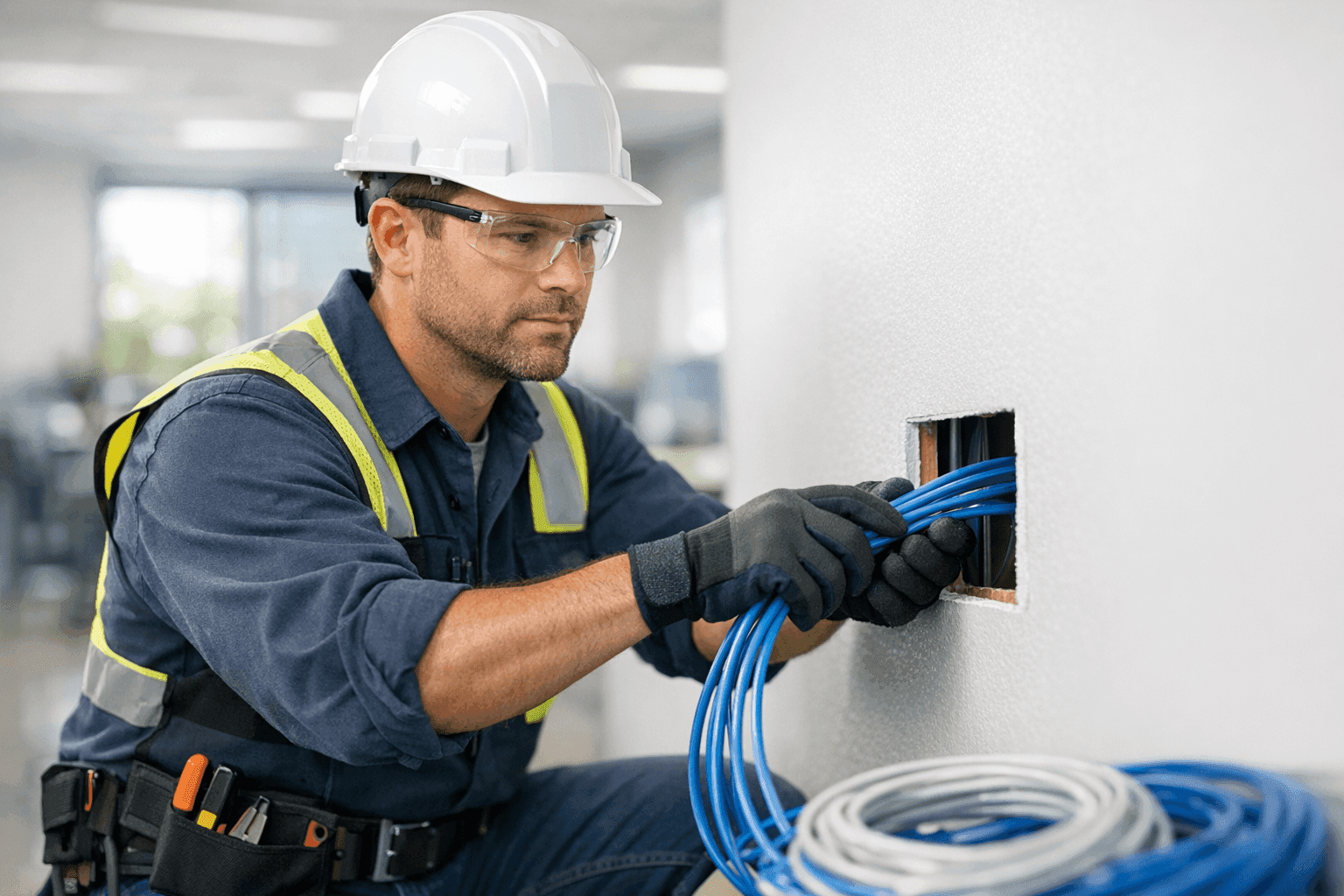
Why Structured Data Cabling Matters
Imagine your home or office as a city. The devices—computers, smart TVs, security cameras—are houses and businesses. The cabling? That’s your highway system. If the roads are outdated or tangled, traffic grinds to a halt. Slow internet. Dropped calls. Lost productivity.
Today, homes and businesses lean on fast, reliable networks more than ever. At LintPro Electric, we see firsthand how good cabling turns tech headaches into smooth daily routines. Let’s break down what you need to know—and how to plan for a future that’s only getting more connected.
Types of Data Cabling: Cat5e, Cat6, and Fiber Optics 🛠️
Not all cables are created equal. The right choice depends on your needs now—and down the road.
- Cat5e: The workhorse. Good for most homes and small offices. Supports up to 1 Gbps speeds over 100 meters.
- Cat6: Faster highways. Handles up to 10 Gbps over shorter distances. Great for streaming, gaming, and heavy office traffic.
- Fiber Optics: The bullet train. Sends data as light, not electricity. Used in bigger offices, new homes, or anywhere you want max speed and future-proofing.
Choosing the wrong cable can be like building a two-lane road when you’ll need an eight-lane expressway in five years. Always consider where your tech will be tomorrow.
Planning Your Network: Laying the Groundwork
Start with a blueprint. Just as you wouldn’t build a house without a plan, don’t wire your network on a whim.
- List every device: Computers, printers, smart thermostats, cameras, TVs.
- Map locations: Where will each device live? Are rooms likely to change use?
- Think vertical: Offices and homes grow. Will you add a second floor? Finish the basement?
- Plan for wireless: Even Wi-Fi needs wires—access points connect back to your main hub.
A skilled electrician can help sketch out a system that keeps your options open.
The Installation Process: What to Expect
Professional data cabling isn’t just stringing wires. It’s a carefully choreographed dance.
- Site survey: Identify needs, measure distances, check for obstacles.
- Cable runs: Cables are routed through walls, ceilings, or conduits, keeping future service in mind.
- Termination: Cables end in wall plates or network racks, labeled for easy troubleshooting.
- Testing: Each line is checked for speed and reliability.
Disruption is usually minimal, but expect some drilling and dust, especially in older buildings. Good planning keeps surprises to a minimum.
Code Compliance: Safety First, Always
Wiring isn’t just about convenience—it’s about safety. Data cabling must follow rules set by the National Electrical Code (NEC) and local authorities. Poorly installed cables can mean fire risks or interference with electrical systems.
Key compliance steps:
- Use plenum-rated cable in spaces with air circulation (like return-air ceilings).
- Keep Low Voltage Systems separate from power lines.
- Label all runs for maintenance and safety checks.
Hiring a licensed electrician ensures the job is done right—and keeps you on the right side of codes and inspections.
Retrofitting and Upgrading: Bringing Old Spaces Up to Speed
Old house? Vintage office? No problem. Retrofitting data cabling is a common job.
- Surface-mount raceways: Hide cables along walls with minimal mess.
- Fishing wires: Run new lines through finished walls with tiny holes.
- Wireless bridges: Sometimes, running cable everywhere isn’t possible. An electrician can design hybrid solutions.
Upgrading to Cat6 or fiber can transform slow, spotty internet into a robust network ready for modern demands.
DIY vs. Professional Installation: Weighing Your Options
Running a single cable? It’s tempting to DIY. But for anything beyond a simple run, mistakes can be costly.
- Signal loss: Poor terminations can mean slow speeds.
- Fire risk: The wrong cable in the wrong place is dangerous.
- Code violations: DIY jobs often fail inspections, leading to expensive rework.
For most homes and businesses, calling a pro is the safer route.
Common Mistakes to Avoid
- Mixing cable types: Don’t blend Cat5e and Cat6 in the same system.
- Ignoring future needs: Always run a few extra lines “just in case.”
- Running cables near power lines: Can cause interference and safety risks.
- Skipping labels: Unlabeled cables turn troubleshooting into a nightmare.
A good electrician maps and labels every connection—saving hours down the line.
When to Upgrade: Signs Your Cabling Needs Attention
- Frequent dropped connections
- Slow speeds, even with fast internet service
- Visible damage—cracked, pinched, or exposed cables
- Old installations (pre-2003) that may not support today’s tech
If you notice these, it may be time to call for a safety check or upgrade.
Maintenance and Troubleshooting for Longevity
Think of maintenance like routine oil changes in a car. It’s easy to skip—until something breaks.
- Inspect visible cables annually for wear.
- Test network speeds regularly.
- Schedule a professional safety inspection every few years, especially in commercial buildings.
LintPro Electric offers routine safety checks for both homes and businesses—giving you peace of mind and a network you can trust.
The Cost Factor: What to Budget For
Pricing varies, but a few factors control your costs:
- Size of the building
- Number of cable runs
- Type of cable (Cat5e, Cat6, or fiber)
- Accessibility (finished vs. unfinished walls)
Cutting corners on installation often leads to bigger expenses later.
Timeline & Disruption: What’s Realistic?
Most residential jobs wrap up in a day or two. Larger offices take longer, especially if work happens after hours or in phases.
Expect some minor interruptions—dust, noise, and the occasional moved piece of furniture. But with planning, your routine stays mostly intact.
Code & Safety: Resources and Guidelines
For more technical details, check resources like the National Electrical Code (NEC), Building Industry Consulting Service International (BICSI), and the Occupational Safety and Health Administration (OSHA). These set the gold standard for safe, effective installations.
Data Cabling for Today—and Tomorrow
The devices we use are changing. What’s cutting-edge today will be standard tomorrow. Smart thermostats. Streaming everything. Remote work. Home automation. It all rides on the backbone of reliable, future-ready cabling.
Whether you’re planning a new build or upgrading a classic space, LintPro Electric brings experience with modern network demands and a commitment to safety.
If you’re looking for Phone, Internet & Data Cabling in Mount Prospect, our team is ready to help.
Ready to Future-Proof Your Home or Office?
Let’s build a network that grows with you. For low voltage systems near you, network upgrades, or a quick safety check, count on LintPro Electric.
Call LintPro Electric now — or reach us anytime at 844-484-8656 .