Doorbell and Intercom Systems: Choosing and Installing the Right Option
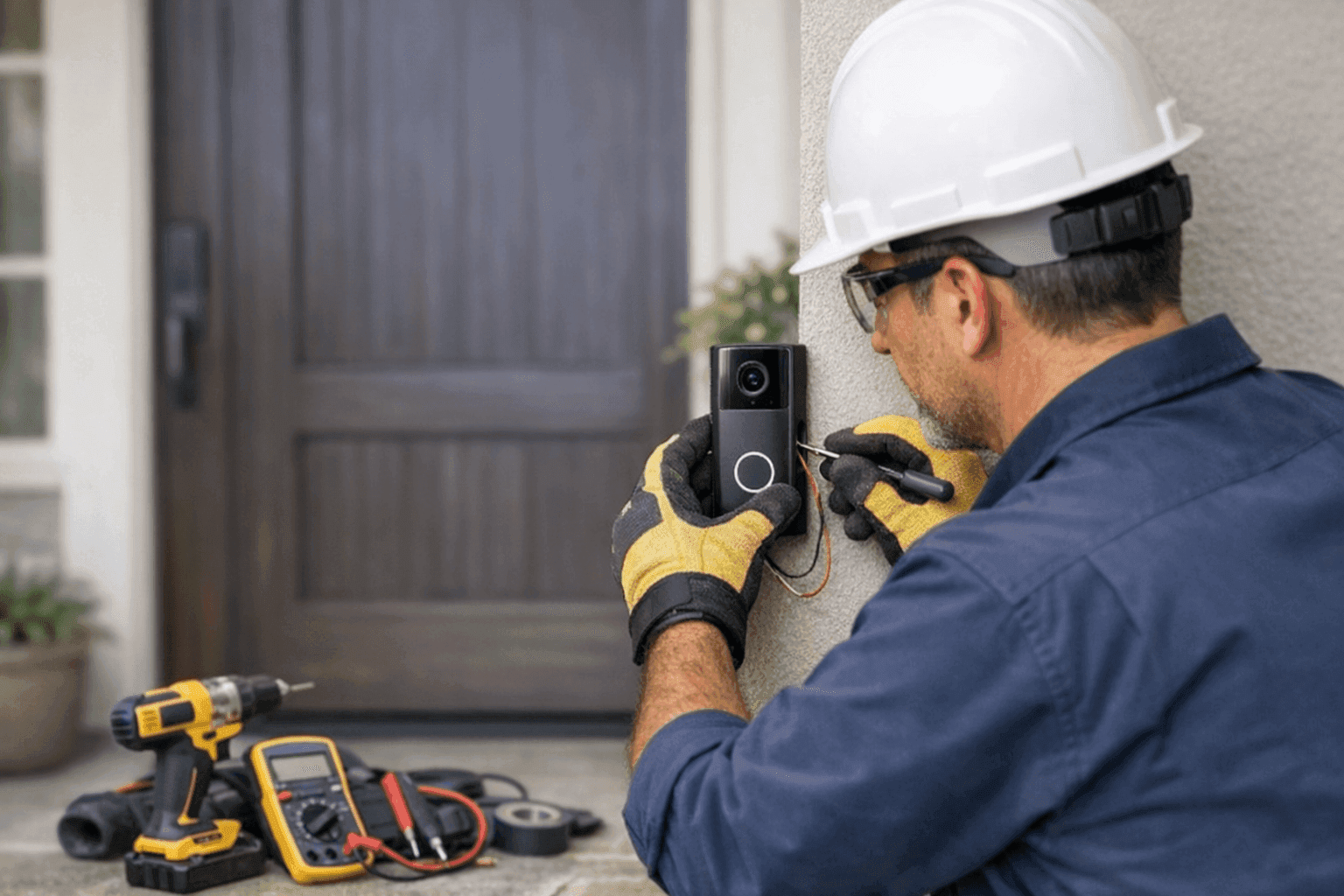
Is your front door still missing that welcoming chime—or are you ready to upgrade to a sleek smart intercom? Whether you’re a homeowner craving peace of mind or a business owner wanting secure access, the right doorbell or intercom system makes all the difference.
At LintPro Electric, we install and service all types of doorbell and intercom solutions, blending modern technology with tried-and-true electrical safety. Let’s walk through your options, from classic chimes to smart systems, and see what fits best.
Wired, Wireless, or Smart? Decoding the Options
All doorbells aren’t created equal. The market brims with choices, from simple push-buttons to systems that stream video to your phone. Here’s a quick breakdown:
- Wired Doorbells: The classic. Dependable, low-maintenance, and powered by your home’s low-voltage wiring. No batteries to change, but installation involves running wires through walls.
- Wireless Doorbells: Easy to install—just mount and go. They use radio signals and often run on batteries. Great for renters or older buildings.
- Smart Doorbells & Intercoms: More than a doorbell—these connect to Wi-Fi, offering video, two-way audio, and alerts on your smartphone. Some models sync with smart locks and cameras for a full security suite.
Think of wired systems like a sturdy old truck: reliable, but installation can be a project. Wireless and smart systems are like electric cars—easy to set up and loaded with features, but they depend on good batteries or a solid Wi-Fi signal.
Key Features to Consider Before You Buy
Before you choose, jot down what matters most:
- Audio or Video: Do you want to see visitors, or just hear them?
- One-way vs. Two-way Communication: Intercoms let you talk both ways—perfect for offices or homes with multiple entrances.
- Integration: Some systems talk to your smart home, unlocking doors or triggering lights.
- Weather Resistance: Is it for an outdoor gate, or a sheltered front porch?
- Power Source: Battery, plug-in, or hardwired?
Your electrician can help you match your wishlist with the right technology.
Installation Steps: The Basics
Installing a doorbell or intercom isn’t rocket science, but doing it right takes attention to detail. Here’s how the process typically looks:
Wired Systems
- Choose the Location: Near the door, at a comfortable height (usually about 48 inches).
- Turn Off Power: Always start at the breaker panel. Safety first!
- Run the Wire: Fish low-voltage wiring from your chime box to the button and transformer.
- Mount the Button and Chime: Securely attach to the wall or doorframe.
- Connect Wires: Match the labeled terminals (often "Front," "Trans," "Rear").
- Test and Tidy Up: Restore power and ensure a clear chime.
Wireless & Smart Systems
- Mount the Button: Most use adhesive or screws.
- Pair the Receiver/Base: Plug in or power up the receiver, and follow the pairing instructions.
- Download the App (Smart systems): Connect to Wi-Fi, customize alerts, and test the camera/audio.
- Test Functionality: Always check range and clarity before calling it done.
Safety First: A Quick Electrical Checklist ⚡
- Always shut off power at the breaker—double-check with a voltage tester.
- Use only UL-listed, code-compliant parts and devices.
- Secure wiring; keep it away from sharp edges or moving doors.
- Don’t overload circuits. If your panel is already maxed out, pause and call a professional.
- For multi-unit buildings or commercial sites, check local fire and building codes.
Refer to the National Electrical Code (NEC) and local regulations for peace of mind.
Wiring Safety and Code Compliance
Wiring might look simple—but it hides hazards. Doorbells and intercoms usually use low-voltage wiring (16-24V), but mistakes can still spark trouble. Here’s what a certified electrician checks:
- Proper transformer size (to avoid overheating)
- Correct wire gauge for the distance
- Clean, tight connections—no frayed wires or loose screws
- Grounding, if required
- Full compliance with local electrical and fire codes
LintPro Electric’s team is trained and keeps current with every code update. If you’re in doubt, skip the guesswork and let a professional handle it.
DIY or Call a Pro? When to Get Help
- DIY is fine for simple wireless doorbells, especially if you’re handy and confident with basic tools.
- Call an electrician if you’re dealing with:
- Old or damaged wiring
- No chime sound after install
- Intercoms with multiple stations
- Smart device integration
- Commercial or multi-tenant buildings
Think of us as your electrical pit crew—ready to jump in when things get tricky.
What to Expect When the Pros Arrive
Here’s how LintPro Electric tackles doorbell and intercom projects:
- Inspect your electrical panel and wiring
- Help you choose the right model for your needs
- Plan out installation with minimal disruption
- Handle wiring, mounting, and smart device setup
- Test every function—chimes, cameras, connections
- Clean up and explain the system before leaving
No surprises. Just a smooth, safe installation.
Integrating Doorbells & Intercoms with Smart Home Systems 🔔
Modern systems do more than ring. Here’s how they can slot into your home’s tech ecosystem:
- Connect to Voice Assistants: Use Alexa or Google Home to check who’s at the door.
- Sync with Security Cameras: See live video feeds from anywhere.
- Automate Lighting: Doorbell rings, porch light turns on automatically.
- Remote Unlock: Open doors for guests from your phone.
Ask your electrician about compatibility with your current devices and network.
Common Mistakes and How to Dodge Them
- Forgetting to turn off power before wiring
- Mounting devices too high or too low (aim for eye level)
- Using the wrong transformer—resulting in weak chimes or fried circuits
- Skipping the instructions—every system’s a little different
- Ignoring Wi-Fi range for smart doorbells (thick walls can block signals)
Slow down, double-check, and call for help if you hit a wall (literally or figuratively).
Maintenance Tips to Keep Your System Sharp
- Test your doorbell and intercom monthly
- Clean camera lenses and speaker grills
- Replace batteries as needed (wireless/smart systems)
- Update apps and firmware for smart devices
- Listen for strange sounds—crackling or buzzing could signal loose wires
An annual checkup from your electrician can catch small issues before they grow.
Costs & Timeline: What to Expect
- Wired Doorbells: Usually $150–$400 installed, depending on complexity
- Wireless: $50–$200 for most models, plus quick installation
- Smart Systems: $200–$600+, with extra for integration and network setup
Most residential installs take 1–2 hours. Commercial systems or multi-unit intercoms may need a day or more.
When It’s an Emergency
If your doorbell wiring sparks, smells hot, or trips breakers—turn off power immediately. Electrical issues around entry points can pose serious fire or security risks. Call for professional help right away.
Frequently Asked Questions
Q: Can I use my old wiring for a new smart doorbell?
A: Sometimes! But older wires may not carry enough power or support new features. An electrician can check and upgrade as needed.
Q: What’s the difference between an intercom and a doorbell?
A: Doorbells just notify you someone’s at the door. Intercoms let you talk—and sometimes see—who’s there, with options for multiple rooms or entrances.
Q: How do I know if my building code requires a certain system?
A: Codes vary by area. Commercial properties and multi-family homes often have stricter rules. Your electrician will know the latest standards.
Seasonal Considerations: Weatherproofing Your System 🌧️
Rain, snow, or summer heat—outdoor devices take a beating. Choose systems rated for your climate, and check seals yearly for cracks or leaks. If you live where winters bite hard, ask about heated faceplates or covers.
Prevention & Ongoing Care
- Keep your entry area dry and clear of clutter
- Schedule annual safety checks
- Upgrade aging systems before they fail
- Stay current with software updates for smart devices
A little prevention goes a long way—like changing oil before your engine light blinks.
Choosing the Right Team: Why Certified Installation Matters
Doorbells and intercoms may seem simple, but behind the button is a web of wires, codes, and safety checks. Certified electricians like LintPro Electric bring years of training—plus hands-on experience with the latest smart tech.
We’re familiar with everything from classic chimes to advanced home automation. Looking for Low Voltage Systems near you? We’ve got you covered. And if you’re in need of Installations in other areas, see our Installations service page.
For those in the region searching for a dependable electrician company, see how we serve your area with Low Voltage Systems.
Ready to upgrade your entryway with a reliable, modern system? Whether you need a simple chime, a full intercom, or seamless smart home integration, LintPro Electric is here to help.
Call LintPro Electric now — or reach us anytime at 844-484-8656 .