How to Safely Replace or Upgrade Electrical Switches
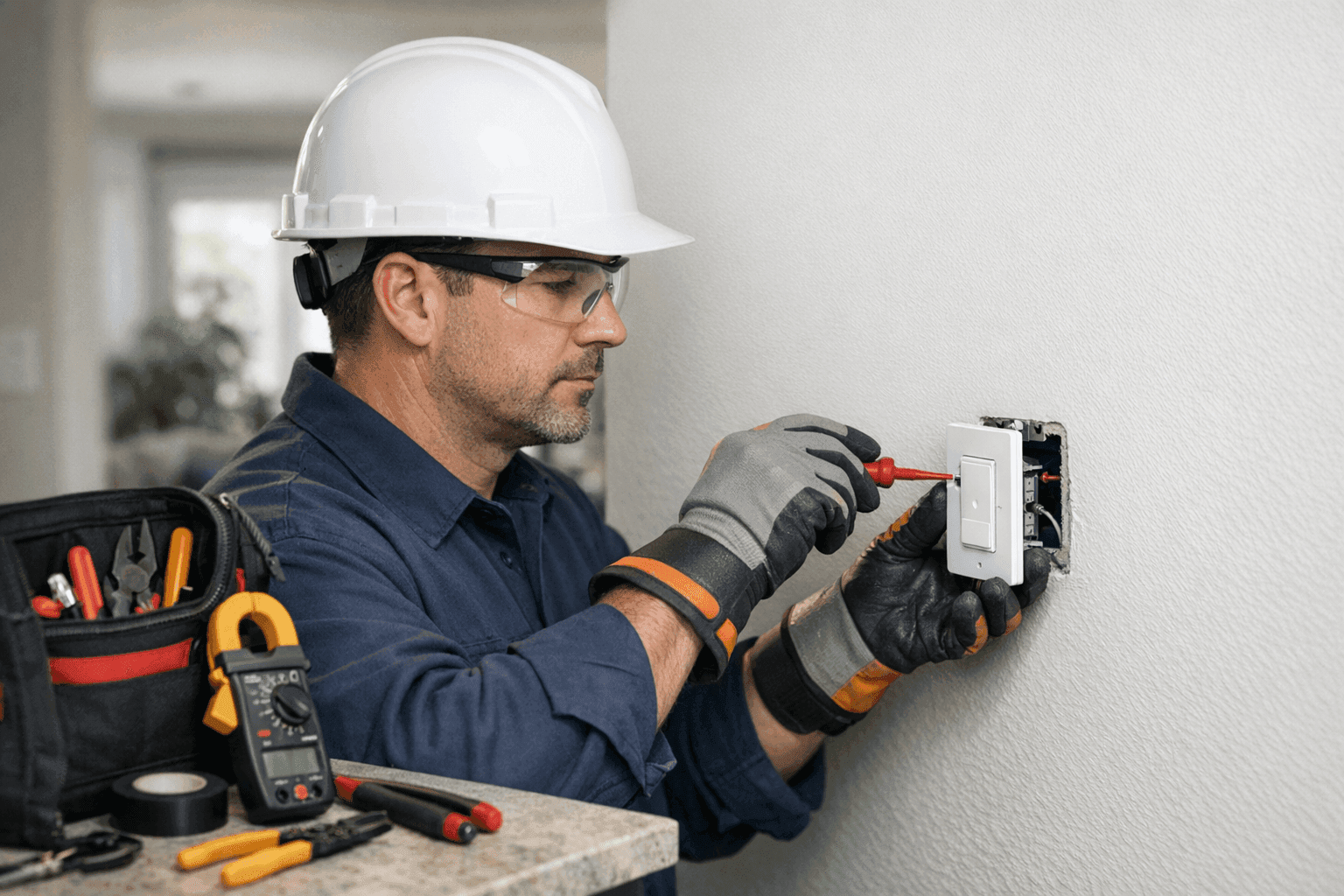
Have you ever flipped a light switch and felt a little snap, heard a faint crackle, or noticed the lights flicker? It’s easy to ignore, but those signs are your home’s way of whispering, “Something’s not right.” At LintPro Electric, we’ve seen how a simple switch upgrade can make a world of difference—both for safety and for everyday convenience.
Whether you’re a homeowner dreaming of smart controls or a business owner wanting to keep your space up to code, replacing old switches is a smart move. Let’s walk through the safest way to modernize your switches, the right way.
Why Upgrade Your Electrical Switches?
Changing out switches isn’t just about looks. There’s much more behind that little toggle on the wall.
- Safety first: Old or worn-out switches can spark, overheat, or even pose a fire risk.
- Convenience: Modern switches are easier to use, softer to the touch, and can offer dimming or timing features.
- Smart controls: Imagine controlling your lights with your voice or smartphone. That’s the power of today’s smart switches and home automation.
- Energy efficiency: Some new switches help reduce energy waste with sensors or timers.
If you’ve been searching for “electrician” or “Low Voltage Systems near you,” upgrading switches is a perfect starting point.
Quick Safety Checklist Before You Start ⚡
Electricity isn’t something to take lightly. Before any work begins, make sure to:
- Turn off power at the breaker panel—never trust just the switch!
- Use a voltage tester to double-check there’s no electricity flowing.
- Wear insulated gloves and use tools with rubber handles.
- Keep your workspace dry and clear of clutter.
- Never attempt work if you’re unsure—call a certified electrician.
The U.S. Consumer Product Safety Commission recommends regular inspections of outlets and switches, especially in older homes.
DIY vs. Calling an Electrician: What’s Really at Stake?
Switch replacement looks simple—just two screws and a couple of wires, right? Not so fast. Hidden behind the wall can be tangled wires, outdated systems, or code violations that only a trained eye can spot.
- DIY: Good for those comfortable with tools and familiar with home wiring basics.
- Professional help: Essential if you notice aluminum wiring, multiple switches in one box, or if you’re installing smart or three-way switches.
When in doubt, contact a licensed electrician. LintPro Electric’s certified team ensures every job meets today’s safety standards.
Signs It’s Time to Replace or Upgrade
Don’t wait for a major problem. Watch for these warning signs:
- Switch feels warm or smells burnt.
- Lights flicker or delay when switched on.
- Cracking, popping, or buzzing sounds.
- Physical damage: cracks, chips, or loose toggles.
- Outdated toggle or push-button designs.
If you notice any of these, schedule a switch and outlet service as soon as possible.
Step-By-Step: Removing the Old Switch
Ready to get your hands dirty? Here’s how the pros do it:
- Shut off power at the breaker panel. Tape the breaker off to avoid accidents.
- Remove the cover plate with a screwdriver.
- Test for voltage using a non-contact tester.
- Unscrew the switch from the electrical box.
- Take a photo of the wiring before disconnecting (trust us, it helps!).
- Disconnect wires by loosening terminal screws.
Remember: If wires are brittle, scorched, or frayed, stop and call an electrician immediately.
Wiring Safety: Best Practices for New Switches
Proper wiring is like the foundation of a house—get it wrong, and everything else is at risk.
- Match wire colors: Typically, black for “hot,” white for “neutral,” and green or bare for “ground.” But always confirm!
- Secure connections: Tighten screws and ensure no bare wire is exposed.
- Use wire nuts or terminal blocks where required by code.
- Never mix copper and aluminum wires without approved connectors.
Reference: The National Electrical Code (NEC) offers detailed wiring standards—check their latest guidelines or consult your local authority.
Installing Smart Switches & Home Automation Features
Thinking of a switch that talks to your phone, voice assistant, or home automation system?
Here’s what you need to know:
- Check compatibility: Not all homes have a neutral wire—essential for most smart switches.
- Download the app before installation, and follow the manufacturer’s setup steps.
- Connect to Wi-Fi and test functionality before closing the wall.
- Update your home automation routines to leverage your new features.
For integrated automation, we recommend professional installation; learn more about home automation upgrades.
Code Compliance: Why It Matters
It’s not just about following rules. Electrical codes are there to protect lives and property.
- Local codes may vary: Always check with your local building department before making changes.
- Permits: Some upgrades require permits or inspections, especially in commercial spaces.
- Certified installations: Using a certified electrician helps ensure your upgrade meets code—and keeps your insurance valid.
Reference: NEC and your local authority having jurisdiction (AHJ) are key resources for current compliance.
What to Expect When You Call in the Pros
A licensed electrician will:
- Inspect your wiring and electrical panel for hidden issues.
- Recommend the right switch for your needs (standard, dimmer, smart, etc.).
- Handle complex installations like three-way or multi-location controls.
- Test everything for safety before buttoning up.
You might be surprised how quickly a professional can get the job done, with less mess and stress.
Emergency Situations: When to Act Fast 🚨
Not all switch issues can wait. Call for emergency service if you notice:
- Smoke, sparks, or a burning smell.
- Switches that are hot to the touch.
- Lights that won’t turn off, no matter what.
LintPro Electric offers 24-hour emergency response. Don’t risk your safety—get help immediately.
Materials and Tools: What You’ll Need
For a basic switch replacement, gather:
- New switch (standard, dimmer, or smart)
- Screwdriver (flat and Phillips)
- Non-contact voltage tester
- Wire stripper/cutter
- Electrical tape
- Insulated gloves
For more advanced setups, specialized tools may be required—especially for smart switches.
Frequently Asked Questions
Can I upgrade all my switches to smart switches?
Most homes can, but older wiring may lack the required neutral wire. Consult an electrician.
How long does a typical switch replacement take?
A basic swap takes 15–30 minutes. Smart switches or multi-way setups can take longer.
Are permits necessary?
For single switches, usually not. For more extensive changes, especially in commercial buildings, permits may be required.
Common Mistakes to Avoid
- Forgetting to cut power at the breaker
- Not labeling or photographing wires before removal
- Overtightening screws, cracking the switch
- Mixing up hot and neutral wires
- Skipping code requirements
A little care goes a long way. When in doubt, don’t risk it—call a professional.
Preventive Maintenance Tips
- Test switches and outlets every few months for heat or odd sounds.
- Schedule routine electrical safety inspections, especially if your property is over 20 years old.
- Consider upgrading to tamper-resistant switches for homes with children.
Staying proactive can prevent dangerous situations before they start.
Timeline & Disruption: What to Expect
Replacing a single switch is quick—often less than an hour. Whole-home upgrades or automation take longer and may involve limited power interruptions. Professional electricians will minimize downtime and clean up after the work.
For Local Service in Greenville
Looking for electrician services in Greenville for your next switch upgrade? LintPro Electric is here to help residential and commercial clients with safe and modern solutions.
Ready to upgrade your electrical switches or install smart home features? Call LintPro Electric now — or reach us anytime at 844-484-8656 .